 Trattiva
Quotes, orders and stock from your emails
Trattiva reads the requests that reach your mailbox, drafts the quote from your catalogue and follows the order through to stock. You check everything before it is sent.
Gmail, Outlook and IMAP mailboxes. 0 quotes go out without your confirmation.

Every request arrives as a different email
Quantities in the text, half a product code, the deadline at the end. Today someone rereads it, looks the items up in the price list and retypes it all into a quote.
- Requests scattered across mailboxes and colleagues
- Quotes copied by hand from the price list
- Orders tracked from memory or on a sheet


From email to stock in 4 steps
-
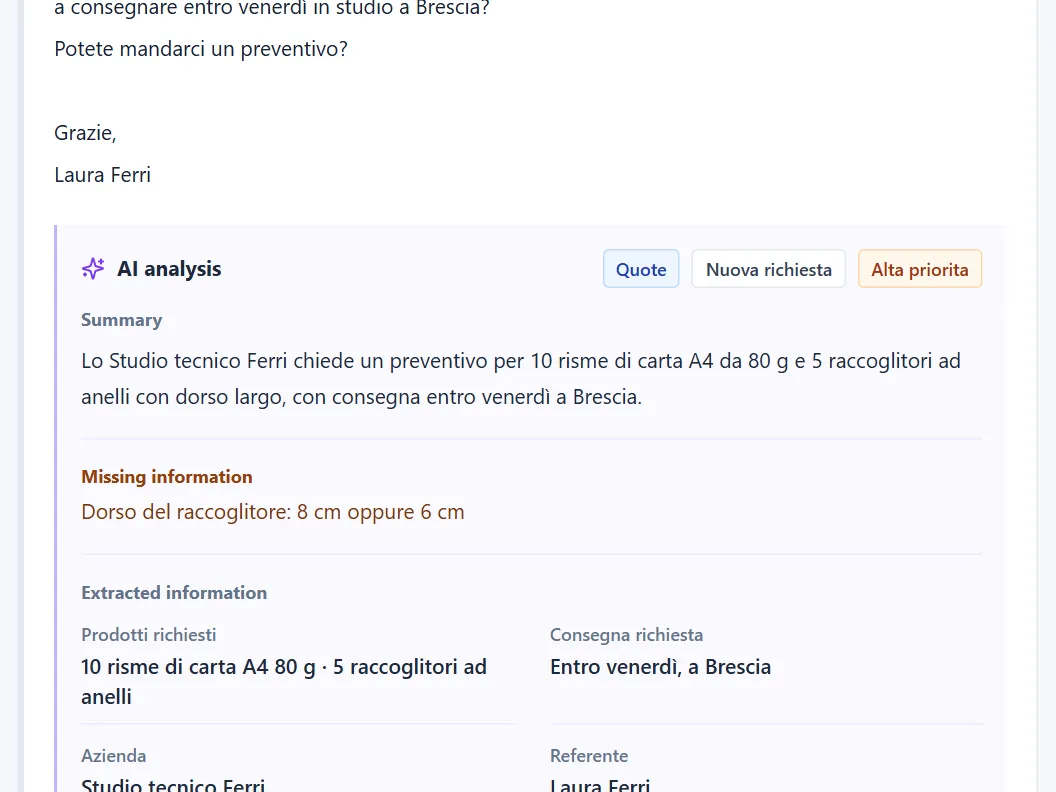
Reads and summarises the email
The AI works out what the customer is asking, extracts products, quantities and deadlines, and flags the information that is missing.
-
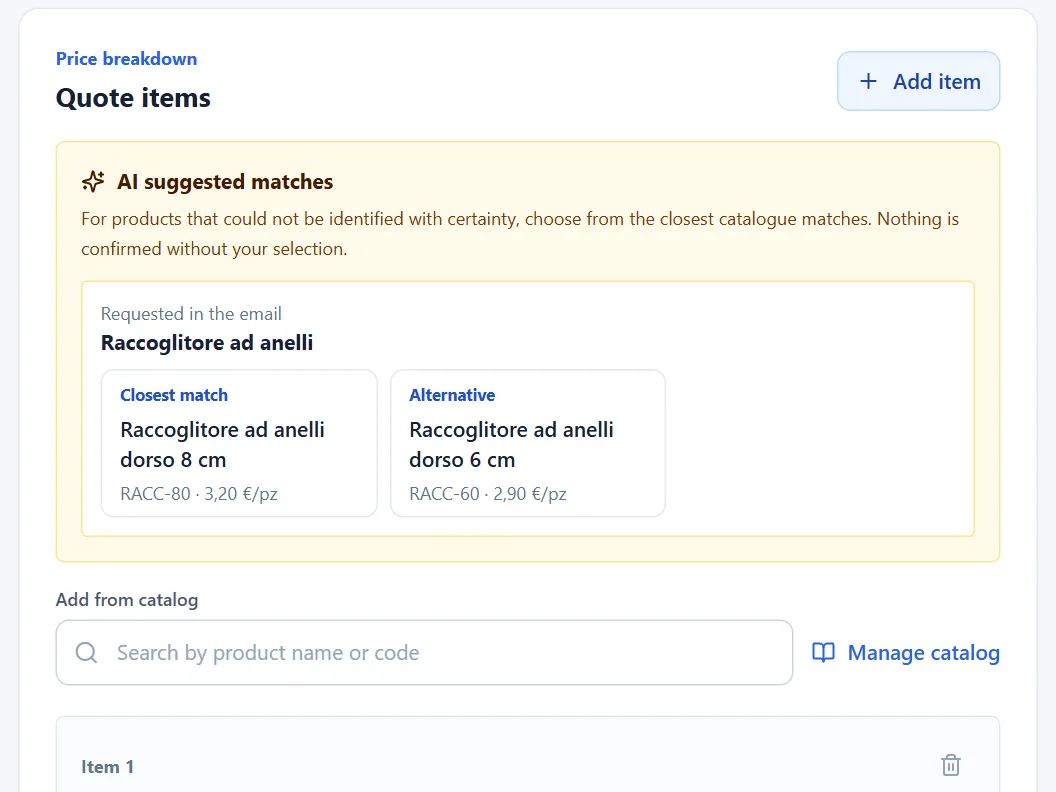
Drafts the quote from your catalogue
It matches each item to your codes and your prices. When two products look alike, it offers both and waits for your choice.
-
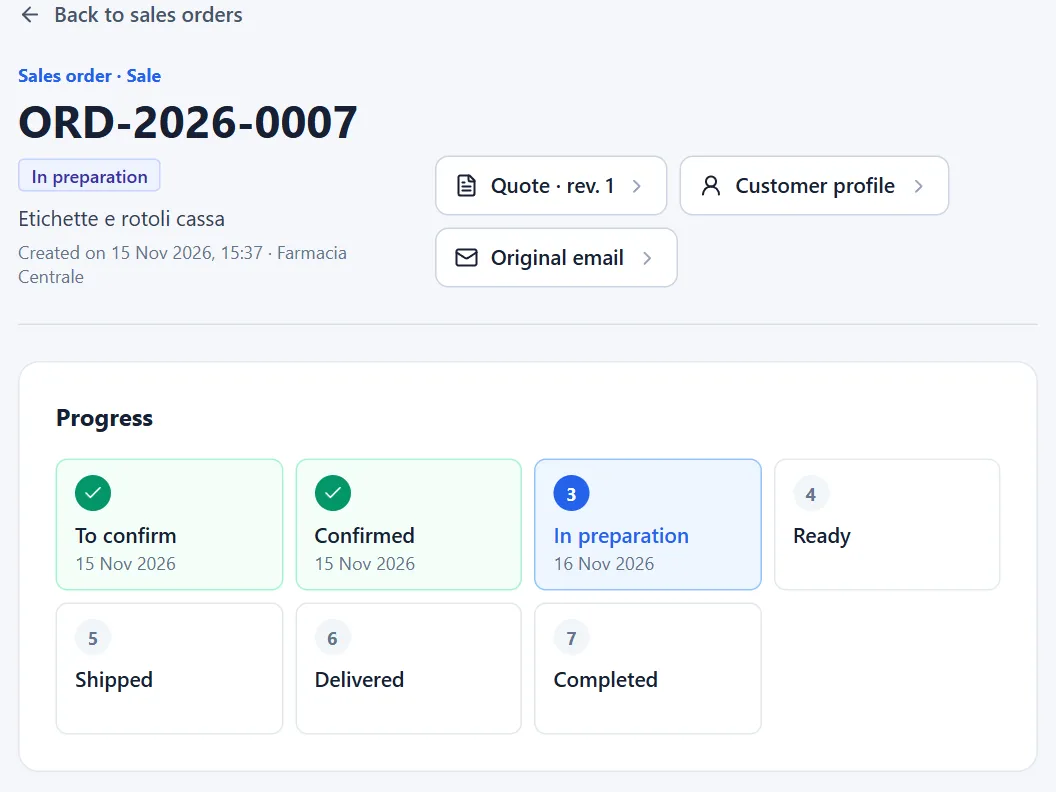
Turns the accepted quote into an order
The sales order keeps items, amounts and estimated margin, and moves through its stages: confirmed, in preparation, shipped, delivered.
-
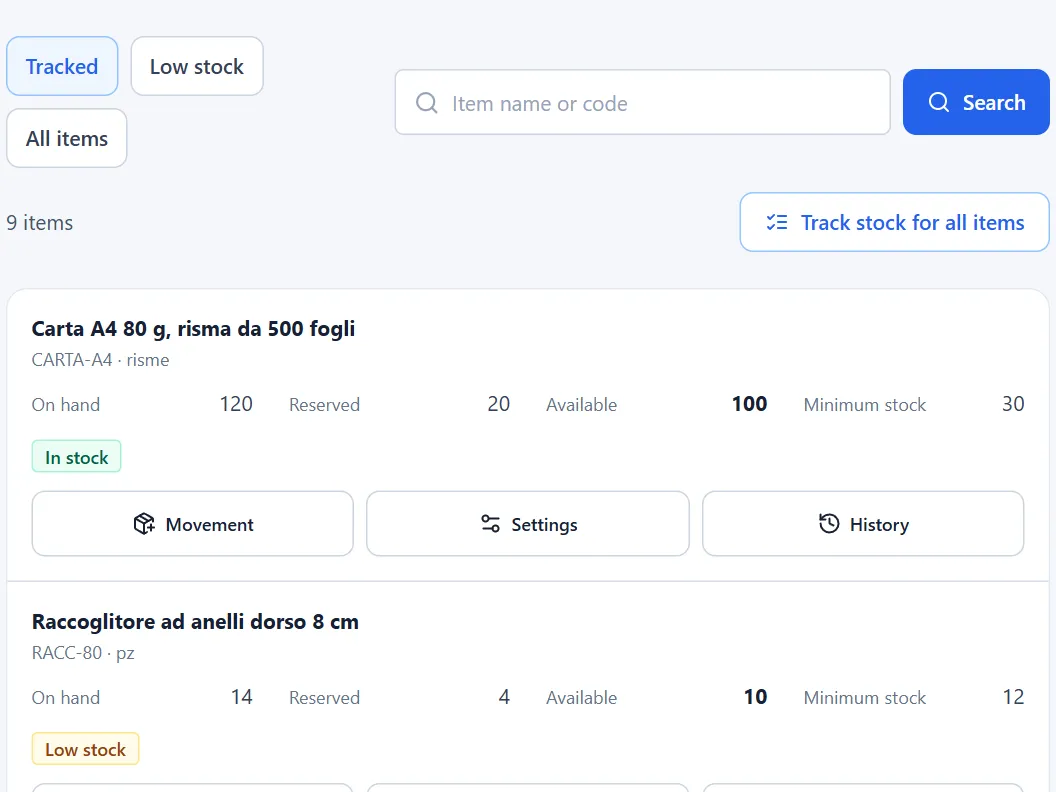
Keeps stock levels in check
For each item you see on hand, reserved and available. Below the minimum stock, a low-stock warning appears.


Trattiva features, one per tab
Pick a tab and look at the real screen.
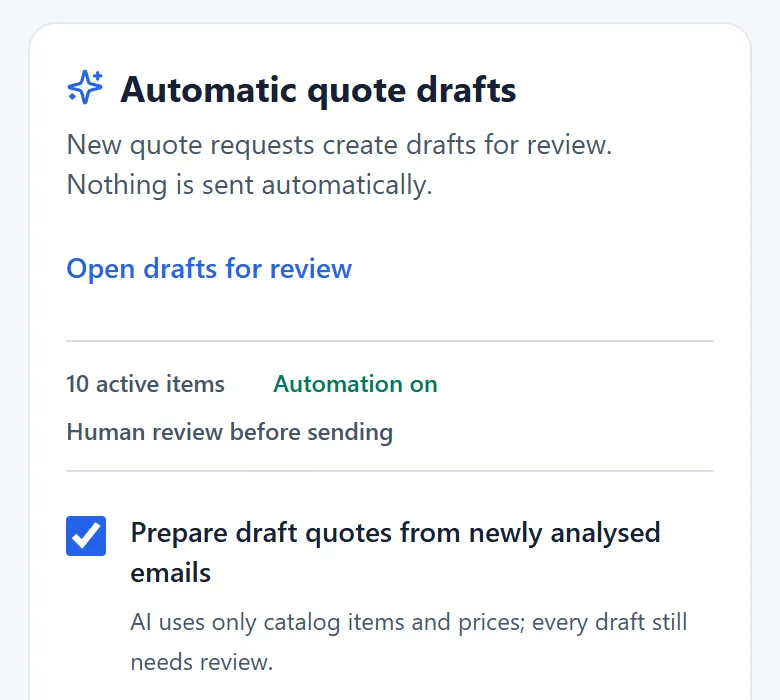
For every request you get a suggested reply, with subject and text already written. You edit it and open it as a draft in Gmail or Outlook.
Items, quantities, prices and VAT in a document with your letterhead. You open the PDF, record the customer's answer and create a revision when needed.
You import the price list from Excel or CSV, or from the pages of your site. Sales and rental stay in separate lists, each with its own prices.
Each sales order shows customer, status, total and expected delivery. When you change status, no message goes to the customer.
The customer profile brings together details, internal notes, quotes and appointments. You open it from any request of that contact.
Trattiva works out net revenue, direct costs and margin on accepted quotes. It is a management estimate: overheads and taxes stay out.


You decide every send
The AI prepares and suggests. Every draft stays marked “awaiting review” until you have compared items, quantities, prices and terms with the customer's email.
- No quote is ever sent automatically
- Uncertain items stay flagged until you choose
- Replies leave from your own mail program, or after you confirm


Questions about Trattiva
If yours is missing, ask it during the demo.
Does Trattiva send quotes on its own?
No. It prepares the draft and the email with the PDF; you decide when to send.
Where do the quote prices come from?
From your catalogue: entered by hand, imported from Excel or CSV, or read from your site.
What if an item in the email is unclear?
Trattiva offers the closest catalogue items; the line stays flagged.
Is stock control mandatory?
No. You track stock only for the items you keep.
How much does Trattiva cost?
Price on request: you get costs and terms after the demo, before you activate.
Connected email mailboxes, encrypted credentials
You connect the mailbox you already use. Trattiva imports new business emails and can put appointments and deadlines on the connected calendar.
 Gmail, Google Workspace and Google Calendar
 Outlook and Microsoft 365
 IMAP with TLS on port 993
Mailbox tokens and credentials are encrypted with AES-256-GCM and each company sees only its own data. Read the security page

A Trattiva demo on your own emails
We show you the first draft built on your price list, before talking about prices.
- You tell us how requests arrive today
- We look at your mailbox and price list together
- You get costs and terms before you activate
 All it takes is today's mailbox and your price list in Excel or CSV.
Prefer to talk it through? +39 392 201 9598